Platform
Platform
Milemarker Mobile
Run Your Whole Firm From Your Phone or Tablet
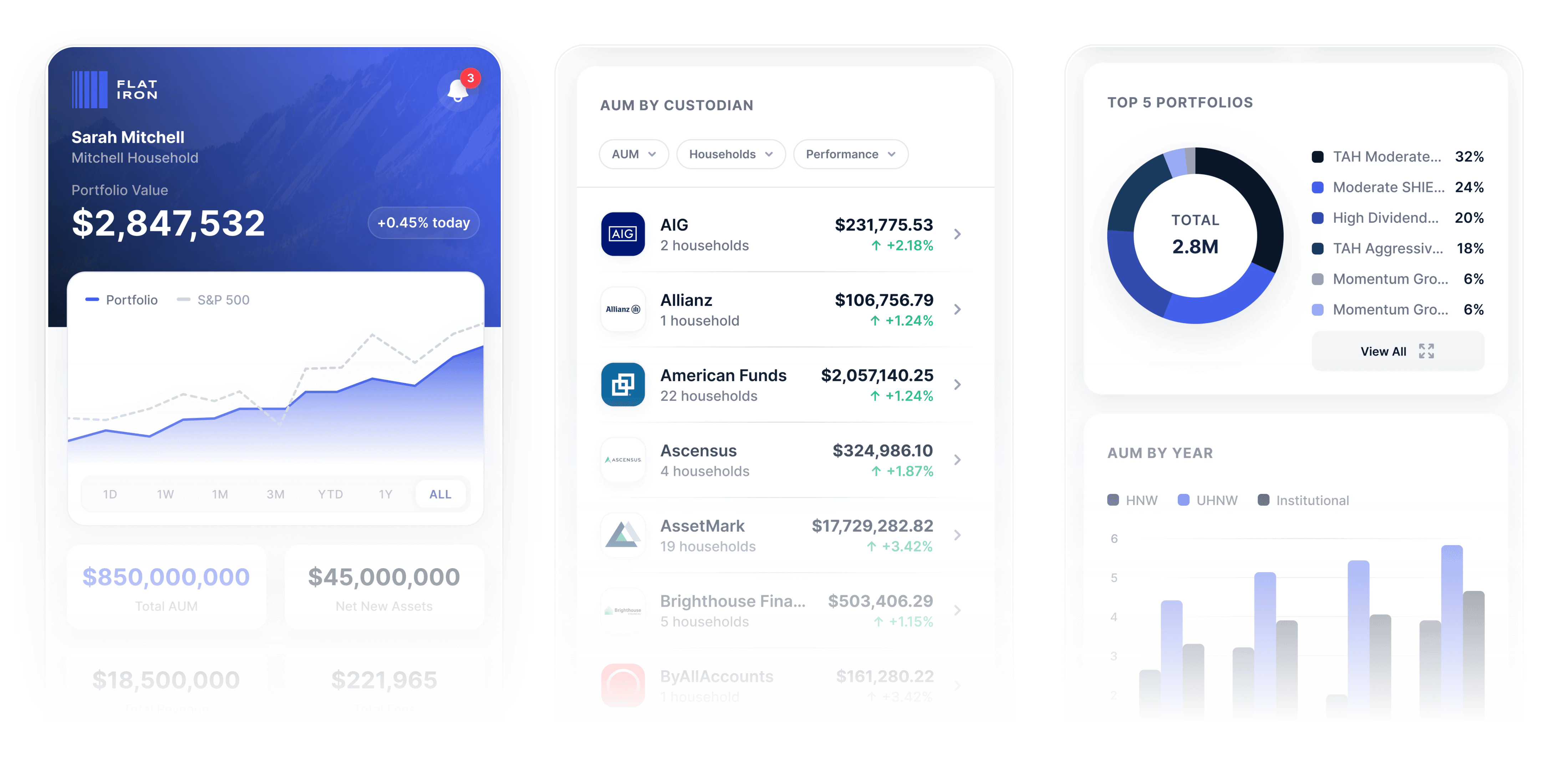
Clients, advisors and operations all work in one app, on the same governed data as your dashboards. You build the pages, define the metrics, and set the menus.
Tuesday, 4 PM
It Can Wait Until You’re Back At Your Desk
You’re at a client’s kitchen table.
They ask what their portfolio is worth this morning. You promise to email it when you’re back at the office.
Wednesday:
An advisor needs a distribution approved. You’re in an airport. It waits.
Thursday:
A prospect is ready to open an account. The paperwork lives on a desktop three time zones away.
The work was ready. The device in your hand couldn’t reach it.
What’s Really Broken
Everything Important Lives On A Desktop
Desk-Bound Data
You built the dashboards. They open in a browser nobody wants to pinch and zoom at a kitchen table.
A Client App Only
Your clients get a phone app. Your advisors, your operations team and your principals get nothing.
Someone Else’s Roadmap
You asked for one more screen last year. It is still being scoped.
A Second Set Of Numbers
The app keeps its own copy of your data, so the balance on a phone and the balance in a review meeting disagree.
The device your firm uses most is the one it invested in least.
What We Fix
One Platform, Every Screen
"/><stop offset="1" stop-color="rgb(255, 255, 255)"/></linearGradient><linearGradient id="yklVp0itg-4190863256-linear-gradient" x1="0.2338651437254083" x2="0.7661348562745918" y1="1" y2="0"><stop offset="0" stop-color="rgb(243, 244, 246)"/><stop offset="1" stop-color="rgb(255, 255, 255)"/></linearGradient><linearGradient id="w9eWQ9PNi-4190863256-linear-gradient" x1="0" x2="1" y1="0.6656085460782806" y2="0.33439145392171943"><stop offset="0" stop-color="rgb(243, 244, 246)"/><stop offset="1" stop-color="rgb(255, 255, 255)"/></linearGradient><linearGradient id="lpGUet_Zo-4190863256-linear-gradient" x1="0.10918208614294456" x2="0.8908179138570554" y1="1" y2="0"><stop offset="0" stop-color="rgb(243, 244, 246)"/><stop offset="1" stop-color="rgb(255, 255, 255)"/></linearGradient><linearGradient id="ofiodRVVI-4190863256-linear-gradient" x1="0.11110291840421316" x2="0.8888970815957868" y1="1" y2="0"><stop offset="0" stop-color="rgb(243, 244, 246)"/><stop offset="1" stop-color="rgb(255, 255, 255)"/></linearGradient><linearGradient id="xp7feCqRa-4190863256-linear-gradient" x1="0.23392045719424875" x2="0.7660795428057512" y1="1" y2="0"><stop offset="0" stop-color="rgb(243, 244, 246)"/><stop offset="1" stop-color="rgb(255, 255, 255)"/></linearGradient><linearGradient id="TmdoRBuCV-4190863256-linear-gradient" x1="0.2269312188375604" x2="0.7730687811624396" y1="1" y2="0"><stop offset="0" stop-color="rgb(243, 244, 246)"/><stop offset="1" stop-color="rgb(255, 255, 255)"/></linearGradient><linearGradient id="rywNe2Ari-4190863256-linear-gradient" x1="0.16594835684287412" x2="0.8340516431571259" y1="1" y2="0"><stop offset="0" stop-color="rgb(243, 244, 246)"/><stop offset="1" stop-color="rgb(255, 255, 255)"/></linearGradient><linearGradient id="zuSQNQ0PB-4190863256-linear-gradient" x1="0.18024554162540218" x2="0.8197544583745978" y1="1" y2="0"><stop offset="0" stop-color="rgb(243, 244, 246)"/><stop offset="1" stop-color="rgb(255, 255, 255)"/></linearGradient><linearGradient id="flmitVzUp-4190863256-linear-gradient" x1="0.11115587659686543" x2="0.8888441234031346" y1="1" y2="0"><stop offset="0" stop-color="rgb(243, 244, 246)"/><stop offset="1" stop-color="rgb(255, 255, 255)"/></linearGradient><linearGradient id="b9Cg5Vce_-4190863256-linear-gradient" x1="0.16594835684287323" x2="0.8340516431571268" y1="1" y2="0"><stop offset="0" stop-color="rgb(243, 244, 246)"/><stop offset="1" stop-color="rgb(255, 255, 255)"/></linearGradient></defs><g d="M 0 0 L 64.5 0 L 64.5 12 L 0 12 Z M 62.805 2.818 L 62.455 2.818 L 62.455 3.556 L 62.224 3.556 L 62.224 2.818 L 61.875 2.818 L 61.883 2.612 L 62.797 2.612 Z M 63.646 3.134 L 63.951 2.612 L 64.216 2.612 L 64.216 3.555 L 63.992 3.555 L 63.992 2.95 L 63.986 2.95 L 63.648 3.512 L 63.633 3.512 L 63.3 2.956 L 63.293 2.956 L 63.293 3.555 L 63.07 3.555 L 63.07 2.612 L 63.331 2.612 Z M 2.501 7.325 L 1.057 5.068 L 1.057 8.324 L 0.285 8.324 L 0.285 3.675 L 1.019 3.675 L 2.524 6.098 L 4.022 3.675 L 4.725 3.675 L 4.725 8.325 L 3.954 8.325 L 3.954 5.068 L 2.532 7.325 L 2.502 7.325 Z M 9.571 8.324 L 8.784 8.324 L 8.784 3.675 L 9.571 3.675 L 9.571 8.325 Z M 13.627 3.674 L 14.414 3.674 L 14.414 7.619 L 16.645 7.619 L 16.645 8.324 L 13.627 8.324 Z M 23.51 3.674 L 23.51 4.371 L 21.249 4.371 L 21.249 5.598 L 23.299 5.598 L 23.299 6.287 L 21.249 6.287 L 21.249 7.62 L 23.511 7.62 L 23.511 8.324 L 20.478 8.324 L 20.478 3.675 L 23.511 3.675 Z M 29.61 3.745 L 28.165 1.488 L 28.165 4.745 L 27.394 4.745 L 27.394 0.095 L 28.127 0.095 L 29.632 2.518 L 31.13 0.095 L 31.834 0.095 L 31.834 4.745 L 31.062 4.745 L 31.062 1.488 L 29.64 3.745 Z M 28.974 9.935 L 30.244 9.935 L 29.609 8.216 Z M 29.995 7.254 L 31.78 11.903 L 30.978 11.903 L 30.501 10.616 L 28.725 10.616 L 28.248 11.903 L 27.454 11.903 L 29.239 7.253 L 29.995 7.253 Z M 36.263 5.78 L 37.254 5.78 C 37.776 5.78 38.071 5.5 38.071 5.068 C 38.071 4.636 37.776 4.357 37.254 4.357 L 36.263 4.357 Z M 36.262 6.439 L 36.262 8.324 L 35.476 8.324 L 35.476 3.675 L 37.269 3.675 C 38.229 3.675 38.849 4.16 38.849 5.069 C 38.849 5.849 38.395 6.296 37.662 6.409 L 39.008 8.325 L 38.116 8.325 L 36.822 6.44 L 36.262 6.44 Z M 43.49 5.696 L 45.35 3.675 L 46.326 3.675 L 44.231 5.901 L 46.394 8.324 L 45.396 8.324 L 43.49 6.197 L 43.49 8.324 L 42.703 8.324 L 42.703 3.675 L 43.49 3.675 L 43.49 5.696 Z M 53.085 3.674 L 53.085 4.371 L 50.824 4.371 L 50.824 5.598 L 52.874 5.598 L 52.874 6.287 L 50.824 6.287 L 50.824 7.62 L 53.085 7.62 L 53.085 8.324 L 50.052 8.324 L 50.052 3.675 L 53.085 3.675 Z M 57.756 5.78 L 58.747 5.78 C 59.269 5.78 59.564 5.5 59.564 5.068 C 59.564 4.636 59.269 4.357 58.747 4.357 L 57.756 4.357 Z M 57.756 6.439 L 57.756 8.324 L 56.969 8.324 L 56.969 3.675 L 58.762 3.675 C 59.723 3.675 60.343 4.16 60.343 5.069 C 60.343 5.849 59.889 6.296 59.156 6.409 L 60.502 8.325 L 59.61 8.325 L 58.316 6.44 L 57.756 6.44 Z" fill="transparent" height="12px" id="gRnetvjtc" transform="translate(0 2)" width="64.5px"><path d="M 0 0 L 64.5 0 L 64.5 12 L 0 12 Z" fill="transparent" height="12px" id="UoHavJ9lU" width="64.5px"/><path d="M 0.93 0.206 L 0.581 0.206 L 0.581 0.944 L 0.35 0.944 L 0.35 0.206 L 0 0.206 L 0.008 0 L 0.922 0 Z M 1.771 0.523 L 2.076 0 L 2.341 0 L 2.341 0.944 L 2.117 0.944 L 2.117 0.339 L 2.111 0.339 L 1.773 0.901 L 1.758 0.901 L 1.425 0.345 L 1.418 0.345 L 1.418 0.944 L 1.195 0.944 L 1.195 0 L 1.456 0 Z" fill="url(%23my7T47mAl-4190863256-linear-gradient)" height="1px" id="my7T47mAl" transform="translate(61.875 2.612)" width="2.3405038671493514px"/><path d="M 2.216 3.65 L 0.772 1.393 L 0.772 4.649 L 0 4.649 L 0 0 L 0.734 0 L 2.239 2.423 L 3.737 0 L 4.44 0 L 4.44 4.65 L 3.669 4.65 L 3.669 1.393 L 2.247 3.65 L 2.217 3.65 Z" fill="url(%23yklVp0itg-4190863256-linear-gradient)" height="4.649999999999997px" id="yklVp0itg" transform="translate(0.285 3.675)" width="4.440499999999986px"/><path d="M 0.787 4.649 L 0 4.649 L 0 0 L 0.787 0 L 0.787 4.65 Z" fill="url(%23w9eWQ9PNi-4190863256-linear-gradient)" height="4.649999999999997px" id="w9eWQ9PNi" transform="translate(8.784 3.675)" width="1px"/><path d="M 0 0 L 0.787 0 L 0.787 3.945 L 3.018 3.945 L 3.018 4.65 L 0 4.65 Z" fill="url(%23lpGUet_Zo-4190863256-linear-gradient)" height="4.649999999999999px" id="lpGUet_Zo" transform="translate(13.627 3.674)" width="3.018000000000008px"/><path d="M 3.033 0 L 3.033 0.696 L 0.772 0.696 L 0.772 1.923 L 2.822 1.923 L 2.822 2.613 L 0.772 2.613 L 0.772 3.946 L 3.033 3.946 L 3.033 4.65 L 0 4.65 L 0 0 L 3.033 0 Z" fill="url(%23ofiodRVVI-4190863256-linear-gradient)" height="4.6495000000000015px" id="ofiodRVVI" transform="translate(20.478 3.674)" width="3.0330000000000013px"/><path d="M 2.216 3.65 L 0.771 1.394 L 0.771 4.65 L 0 4.65 L 0 0 L 0.734 0 L 2.239 2.423 L 3.737 0 L 4.44 0 L 4.44 4.65 L 3.668 4.65 L 3.668 1.393 L 2.246 3.65 Z" fill="url(%23xp7feCqRa-4190863256-linear-gradient)" height="4.65px" id="xp7feCqRa" transform="translate(27.394 0.095)" width="4.440000000000005px"/><path d="M 1.52 2.681 L 2.791 2.681 L 2.156 0.962 Z M 2.541 0.001 L 4.326 4.65 L 3.524 4.65 L 3.047 3.363 L 1.271 3.363 L 0.794 4.65 L 0 4.65 L 1.785 0 L 2.541 0 Z" fill="url(%23TmdoRBuCV-4190863256-linear-gradient)" height="4.650000091699436px" id="TmdoRBuCV" transform="translate(27.454 7.253)" width="4.325999999999993px"/><path d="M 0.787 2.104 L 1.778 2.104 C 2.3 2.104 2.595 1.824 2.595 1.393 C 2.595 0.961 2.3 0.681 1.778 0.681 L 0.787 0.681 Z M 0.787 2.764 L 0.787 4.649 L 0 4.649 L 0 0 L 1.793 0 C 2.753 0 3.374 0.485 3.374 1.394 C 3.374 2.174 2.92 2.621 2.186 2.734 L 3.533 4.65 L 2.64 4.65 L 1.346 2.765 L 0.787 2.765 Z" fill="url(%23rywNe2Ari-4190863256-linear-gradient)" height="4.649500018339843px" id="rywNe2Ari" transform="translate(35.476 3.675)" width="3.532500000000013px"/><path d="M 0.787 2.021 L 2.648 0 L 3.624 0 L 1.529 2.226 L 3.692 4.649 L 2.694 4.649 L 0.787 2.522 L 0.787 4.649 L 0 4.649 L 0 0 L 0.787 0 L 0.787 2.021 Z" fill="url(%23zuSQNQ0PB-4190863256-linear-gradient)" height="4.6495px" id="zuSQNQ0PB" transform="translate(42.703 3.675)" width="3.691500000000012px"/><path d="M 3.033 0 L 3.033 0.696 L 0.771 0.696 L 0.771 1.924 L 2.821 1.924 L 2.821 2.613 L 0.771 2.613 L 0.771 3.946 L 3.033 3.946 L 3.033 4.65 L 0 4.65 L 0 0 L 3.033 0 Z" fill="url(%23flmitVzUp-4190863256-linear-gradient)" height="4.6495000000000015px" id="flmitVzUp" transform="translate(50.052 3.674)" width="3.032999999999987px"/><path d="M 0.787 2.104 L 1.777 2.104 C 2.299 2.104 2.594 1.824 2.594 1.393 C 2.594 0.961 2.299 0.681 1.777 0.681 L 0.787 0.681 Z M 0.787 2.764 L 0.787 4.649 L 0 4.649 L 0 0 L 1.793 0 C 2.754 0 3.373 0.485 3.373 1.394 C 3.373 2.174 2.92 2.621 2.186 2.734 L 3.532 4.65 L 2.64 4.65 L 1.347 2.765 L 0.787 2.765 Z" fill="url(%23b9Cg5Vce_-4190863256-linear-gradient)" height="4.649500018339843px" id="b9Cg5Vce_" transform="translate(56.969 3.675)" width="3.532499999999999px"/></g></svg>)
Everyone Gets An App
Clients, advisors, operations, principals. Any Milemarker user works in it, with pages and menus set for their role.
Everyone Gets An App
Clients, advisors, operations, principals. Any Milemarker user works in it, with pages and menus set for their role.
Everyone Gets An App
Clients, advisors, operations, principals. Any Milemarker user works in it, with pages and menus set for their role.
The Same Governed Numbers
The phone reads metrics you already defined. A client’s balance and the board’s number come from one definition, not a nightly sync.
The Same Governed Numbers
The phone reads metrics you already defined. A client’s balance and the board’s number come from one definition, not a nightly sync.
The Same Governed Numbers
The phone reads metrics you already defined. A client’s balance and the board’s number come from one definition, not a nightly sync.
Where The Work Happens
Start a request, approve it, sign it, open an account. The process your firm already runs, on a phone.
Where The Work Happens
Start a request, approve it, sign it, open an account. The process your firm already runs, on a phone.
Where The Work Happens
Start a request, approve it, sign it, open an account. The process your firm already runs, on a phone.
Changed By You
Pages, metrics and menus are yours to edit. What you decide this morning is on their phones this afternoon.
Changed By You
Pages, metrics and menus are yours to edit. What you decide this morning is on their phones this afternoon.
Changed By You
Pages, metrics and menus are yours to edit. What you decide this morning is on their phones this afternoon.
For Everyone In Your Firm
One App, Three Different Days
Clients
Balances, allocation and history
Request, approve and sign
Reach their advisor in one tap

Clients
Balances, allocation and history
Request, approve and sign
Reach their advisor in one tap
Advisors
Your households, scoped to you
Positions and open items at a glance
Open a Goldman Sachs account at the table

Advisors
Your households, scoped to you
Positions and open items at a glance
Open a Goldman Sachs account at the table
The Firm
Ops queues with exceptions flagged
Every open request, with ageing
Assets and revenue by office and advisor

The Firm
Ops queues with exceptions flagged
Every open request, with ageing
Assets and revenue by office and advisor
The Transformation
The Transformation
Before Milemarker Mobile
Before Milemarker Mobile
Client Questions = “I’ll email you when I’m back”
Approvals = Whenever Someone Reaches A Laptop
Account Opening = Desk Only
A New Screen = Next Year’s Roadmap
New account opening = 2 weeks, 6 systems, 47 manual steps
Approval process = email ping-pong and hope
Help desk = "have you tried turning it off and on again?"
Process visibility = "let me get back to you"
New account opening = 2 weeks, 6 systems, 47 manual steps
Approval process = email ping-pong and hope
Help desk = "have you tried turning it off and on again?"
Process visibility = "let me get back to you"


After Milemarker Mobile
After Milemarker Mobile
Client Questions
Answered At The Table
Approvals
Done From Anywhere
Account Opening
Started On A Phone
A New Screen
Live This Afternoon
As firms grow, operations naturally get messy with disconnected systems. Milemarker’s seasoned team cuts through that chaos and simplifies the complex with nimble technology. They empower firms to focus on growth and client service instead of manual processes to cover technology gaps.

Lacey Shrum
Founder and CEO, SmartKX
As firms grow, operations naturally get messy with disconnected systems. Milemarker’s seasoned team cuts through that chaos and simplifies the complex with nimble technology. They empower firms to focus on growth and client service instead of manual processes to cover technology gaps.
Lacey Shrum
Founder and CEO, SmartKX
As firms grow, operations naturally get messy with disconnected systems. Milemarker’s seasoned team cuts through that chaos and simplifies the complex with nimble technology. They empower firms to focus on growth and client service instead of manual processes to cover technology gaps.
Lacey Shrum
Founder and CEO, SmartKX
One
Data Layer Behind Every Screen
One
Data Layer Behind Every Screen
Zero
Releases To Ship A Change
Zero
Releases To Ship A Change
Same Day
From Decision To Live On A Phone
Same Day
From Decision To Live On A Phone
Every
Role In Your Firm, One App
Every
Role In Your Firm, One App
Single Platform
Training Instead Of Multiple Systems
The Control
You’ve Been Missing
Page Builder
Build and rearrange the pages in your app without waiting for a release.

Page Builder
Build and rearrange the pages in your app without waiting for a release.
Metric Builder
Define a number once and use it on every screen your firm looks at.

Metric Builder
Define a number once and use it on every screen your firm looks at.
Menu Management
Different tabs for clients, advisors and operations, set by you.

Menu Management
Different tabs for clients, advisors and operations, set by you.
Or Just Ask
Milemarker’s MCP server exposes pages, metrics and menus to the AI tools you already use.

Or Just Ask
Milemarker’s MCP server exposes pages, metrics and menus to the AI tools you already use.
Page Builder
Build and rearrange the pages in your app without waiting for a release.
Menu Management
Different tabs for clients, advisors and operations, set by you.
Metric Builder
Define a number once and use it on every screen your firm looks at.
Or Just Ask
Milemarker’s MCP server exposes pages, metrics and menus to the AI tools you already use.
Milemarker Mobile
Built For Real Firms
One Data Layer
The phone reads the same governed metrics as your dashboards — your custodian, CRM and accounting feeds, already reconciled.
One Data Layer
Connect Investment Decisions To Trade Execution
Automatic Allocation & Rebalancing
Real-Time Funding Alerts & Cash Management
One Data Layer
The phone reads the same governed metrics as your dashboards — your custodian, CRM and accounting feeds, already reconciled.
Scoped Per Person
Row-level entitlements decide what each person sees. A client sees their household. An advisor sees their book. Nobody sees the rest.
Scoped Per Person
Comprehensive Performance Tracking Across All Investments
Risk Analytics & Attribution Reporting
Custom Benchmarking & Peer Comparisons
Scoped Per Person
Row-level entitlements decide what each person sees. A client sees their household. An advisor sees their book. Nobody sees the rest.
Your Brand, Your Listing
Published under your own name in the Apple and Google app stores, with your colour, type and logo carried across every surface your clients and your team touch.
Your Brand, Your Listing
Connect Investment Decisions To Trade Execution
Automatic Allocation & Rebalancing
Real-Time Funding Alerts & Cash Management
Your Brand, Your Listing
Published under your own name in the Apple and Google app stores, with your colour, type and logo carried across every surface your clients and your team touch.
Built On Live Books
Live custodial and accounting data, current as of this morning, with the reconciliation already done.
Built On Live Books
Comprehensive Performance Tracking Across All Investments
Risk Analytics & Attribution Reporting
Custom Benchmarking & Peer Comparisons
Built On Live Books
Live custodial and accounting data, current as of this morning, with the reconciliation already done.
Ninety Seconds
Watch Us Add A Screen
Your firm already runs on Milemarker.
Why This Matters
The device your people use most should reach everything your firm already knows.
Stop Emailing Numbers You Already Have.
Stop Emailing Numbers You Already Have.
Stop Emailing Numbers You Already Have.
Stop Waiting On Someone Else’s Roadmap.
Stop Waiting On Someone Else’s Roadmap.
Stop Waiting On Someone Else’s Roadmap.
Frequently asked questions.
Can’t find what you’re looking for? Reach out to our team at hello@milemarker.co
Can our advisors and staff use the app, or is it only for clients?
Any Milemarker user can use it. Clients, advisors, operations and firm leadership all work in the same app, with pages and menus set for their role. It is not a client portal with an administrator login behind it — an advisor opens the app and sees their own book, and operations see their own queues.
Is it a real app in the app stores?
Yes. Your app is published under your own firm’s name to both the Apple App Store and Google Play, carrying your colour, type and logo. Clients download your firm, not ours.
Do the numbers in the app match our dashboards?
They match because they are the same numbers. Every screen reads a governed metric you have already defined, so a client’s balance, an advisor’s book and the figure in a board pack all come from one definition rather than a nightly copy that drifts. There is no second data model to reconcile.
Who can see what?
Access is enforced at the data layer through row-level entitlements, not hidden in the interface. A client is scoped to their own household. An advisor is scoped to their own book. The filter is applied before a query ever returns a row, so a mis-built screen cannot expose data the viewer is not entitled to see.
How quickly can we change what is in the app?
Usually the same day. Pages, metrics and menus are yours to edit, and adding a screen does not require a release or a place in someone else’s roadmap. A firm that decides on a new view in the morning can have it live for clients that afternoon.
Do we need developers to build or maintain it?
No. There is a page builder for the screens, a metric builder for the numbers, and menu management for what each role sees. If you would rather not click through an interface at all, Milemarker’s MCP server exposes pages, metrics and menus to the AI assistants your team already uses, so you can describe the change in plain language and have it made.
Can clients actually do things, or only look?
They can act. Requests, approvals and signatures run through the workflows your firm already operates, so something started on a phone lands in your real process rather than an inbox. New accounts can be opened with Goldman Sachs from the app, prefilled from data you already hold and validated before submission.
Which systems does it connect to?
It reads the data platform you already run — custodial feeds, CRM, accounting and planning — reconciled before anything reaches a screen. Milemarker Mobile is not a separate integration project stitching logins together; it is a surface on data your firm has already governed.
What does it take to launch?
If your firm already runs on Milemarker, most of the work is behind you — the data is reconciled, the metrics exist and the entitlements are in place. Launching is then a matter of designing the screens, setting menus for each role, provisioning users and publishing the listing. Firms starting from the data work should expect that to be the longer part.
Can different roles see different tabs?
Yes, and this is the point of it. Menus are set per role, so a client, an advisor and an operations lead open the same app and get a different set of tabs built for the job each of them is doing. You maintain one app rather than three, and you change the menus yourself.
How current is the data on a client's phone?
As current as your custodial feeds. Balances and activity refresh with each load, so a client checking their portfolio sees this morning’s position rather than last month’s statement. Nobody on your team has to publish or push anything for that to happen.
How is client data kept secure?
Entitlements are enforced in the warehouse rather than in the app, which is the meaningful difference. A client user is scoped to a single household by policy, so even a mis-built screen returns nothing they are not entitled to see. Account numbers can be masked, and sensitive fields anonymised, before they ever reach a device.
Frequently asked questions.
Can’t find what you’re looking for? Reach out to our team at hello@milemarker.co
Can our advisors and staff use the app, or is it only for clients?
Any Milemarker user can use it. Clients, advisors, operations and firm leadership all work in the same app, with pages and menus set for their role. It is not a client portal with an administrator login behind it — an advisor opens the app and sees their own book, and operations see their own queues.
Is it a real app in the app stores?
Yes. Your app is published under your own firm’s name to both the Apple App Store and Google Play, carrying your colour, type and logo. Clients download your firm, not ours.
Do the numbers in the app match our dashboards?
They match because they are the same numbers. Every screen reads a governed metric you have already defined, so a client’s balance, an advisor’s book and the figure in a board pack all come from one definition rather than a nightly copy that drifts. There is no second data model to reconcile.
Who can see what?
Access is enforced at the data layer through row-level entitlements, not hidden in the interface. A client is scoped to their own household. An advisor is scoped to their own book. The filter is applied before a query ever returns a row, so a mis-built screen cannot expose data the viewer is not entitled to see.
How quickly can we change what is in the app?
Usually the same day. Pages, metrics and menus are yours to edit, and adding a screen does not require a release or a place in someone else’s roadmap. A firm that decides on a new view in the morning can have it live for clients that afternoon.
Do we need developers to build or maintain it?
No. There is a page builder for the screens, a metric builder for the numbers, and menu management for what each role sees. If you would rather not click through an interface at all, Milemarker’s MCP server exposes pages, metrics and menus to the AI assistants your team already uses, so you can describe the change in plain language and have it made.
Can clients actually do things, or only look?
They can act. Requests, approvals and signatures run through the workflows your firm already operates, so something started on a phone lands in your real process rather than an inbox. New accounts can be opened with Goldman Sachs from the app, prefilled from data you already hold and validated before submission.
Which systems does it connect to?
It reads the data platform you already run — custodial feeds, CRM, accounting and planning — reconciled before anything reaches a screen. Milemarker Mobile is not a separate integration project stitching logins together; it is a surface on data your firm has already governed.
What does it take to launch?
If your firm already runs on Milemarker, most of the work is behind you — the data is reconciled, the metrics exist and the entitlements are in place. Launching is then a matter of designing the screens, setting menus for each role, provisioning users and publishing the listing. Firms starting from the data work should expect that to be the longer part.
Can different roles see different tabs?
Yes, and this is the point of it. Menus are set per role, so a client, an advisor and an operations lead open the same app and get a different set of tabs built for the job each of them is doing. You maintain one app rather than three, and you change the menus yourself.
How current is the data on a client's phone?
As current as your custodial feeds. Balances and activity refresh with each load, so a client checking their portfolio sees this morning’s position rather than last month’s statement. Nobody on your team has to publish or push anything for that to happen.
How is client data kept secure?
Entitlements are enforced in the warehouse rather than in the app, which is the meaningful difference. A client user is scoped to a single household by policy, so even a mis-built screen returns nothing they are not entitled to see. Account numbers can be masked, and sensitive fields anonymised, before they ever reach a device.
Frequently asked questions.
Can’t find what you’re looking for? Reach out to our team at hello@milemarker.co
Can our advisors and staff use the app, or is it only for clients?
Any Milemarker user can use it. Clients, advisors, operations and firm leadership all work in the same app, with pages and menus set for their role. It is not a client portal with an administrator login behind it — an advisor opens the app and sees their own book, and operations see their own queues.
Is it a real app in the app stores?
Yes. Your app is published under your own firm’s name to both the Apple App Store and Google Play, carrying your colour, type and logo. Clients download your firm, not ours.
Do the numbers in the app match our dashboards?
They match because they are the same numbers. Every screen reads a governed metric you have already defined, so a client’s balance, an advisor’s book and the figure in a board pack all come from one definition rather than a nightly copy that drifts. There is no second data model to reconcile.
Who can see what?
Access is enforced at the data layer through row-level entitlements, not hidden in the interface. A client is scoped to their own household. An advisor is scoped to their own book. The filter is applied before a query ever returns a row, so a mis-built screen cannot expose data the viewer is not entitled to see.
How quickly can we change what is in the app?
Usually the same day. Pages, metrics and menus are yours to edit, and adding a screen does not require a release or a place in someone else’s roadmap. A firm that decides on a new view in the morning can have it live for clients that afternoon.
Do we need developers to build or maintain it?
No. There is a page builder for the screens, a metric builder for the numbers, and menu management for what each role sees. If you would rather not click through an interface at all, Milemarker’s MCP server exposes pages, metrics and menus to the AI assistants your team already uses, so you can describe the change in plain language and have it made.
Can clients actually do things, or only look?
They can act. Requests, approvals and signatures run through the workflows your firm already operates, so something started on a phone lands in your real process rather than an inbox. New accounts can be opened with Goldman Sachs from the app, prefilled from data you already hold and validated before submission.
Which systems does it connect to?
It reads the data platform you already run — custodial feeds, CRM, accounting and planning — reconciled before anything reaches a screen. Milemarker Mobile is not a separate integration project stitching logins together; it is a surface on data your firm has already governed.
What does it take to launch?
If your firm already runs on Milemarker, most of the work is behind you — the data is reconciled, the metrics exist and the entitlements are in place. Launching is then a matter of designing the screens, setting menus for each role, provisioning users and publishing the listing. Firms starting from the data work should expect that to be the longer part.
Can different roles see different tabs?
Yes, and this is the point of it. Menus are set per role, so a client, an advisor and an operations lead open the same app and get a different set of tabs built for the job each of them is doing. You maintain one app rather than three, and you change the menus yourself.
How current is the data on a client's phone?
As current as your custodial feeds. Balances and activity refresh with each load, so a client checking their portfolio sees this morning’s position rather than last month’s statement. Nobody on your team has to publish or push anything for that to happen.
How is client data kept secure?
Entitlements are enforced in the warehouse rather than in the app, which is the meaningful difference. A client user is scoped to a single household by policy, so even a mis-built screen returns nothing they are not entitled to see. Account numbers can be masked, and sensitive fields anonymised, before they ever reach a device.
Ready To Go Mobile-First?
See your own data on a phone in a working session.
Watch a live balance, a workflow and an account opening on one phone.
"/><stop offset="1" stop-color="rgb(240, 68, 56)"/></linearGradient></defs><path d="M 6 0 L 6 1.608 C 9.025 1.377 11.26 0.44 12 0 L 12 2.268 L 10.89 4.413 L 12 5.485 L 12 7.712 C 10.258 8.801 7.274 9.238 6 9.32 L 6 7.712 C 2.778 7.943 0.657 8.881 0 9.32 L 0 1.608 C 1.677 0.52 4.699 0.082 6 0 Z M 2.178 2.928 L 2.178 6.186 C 2.945 5.966 4.784 5.518 6 5.485 L 6 7.135 C 6.795 7.038 8.614 6.763 9.534 6.434 L 8.466 5.073 L 9.534 3.217 C 8.712 3.409 6.855 3.786 6 3.753 L 6 2.227 C 5.329 2.241 3.625 2.4 2.178 2.928 Z" fill="url(%23eYnNIpXV8-3782692587-linear-gradient)" height="9.320399999999998px" id="eYnNIpXV8" transform="translate(0.5 2)" width="12px"/></svg>)
Thirty minutes to map what your firm would put on a phone first.
Ready To Go Mobile-First?
See your own data on a phone in a working session.
Watch a live balance, a workflow and an account opening on one phone.
Thirty minutes to map what your firm would put on a phone first.
Ready To Go Mobile-First?
See your own data on a phone in a working session.
Watch a live balance, a workflow and an account opening on one phone.
Thirty minutes to map what your firm would put on a phone first.
Ready to Connect Your Stack?
30-minute consultation on your data strategy and requirements.
Watch a walkthrough of the platform in action.

Ready to Connect Your Stack?
30-minute consultation on your data strategy and requirements.
Watch a walkthrough of the platform in action.
Ready to Connect Your Stack?
30-minute consultation on your data strategy and requirements.
Watch a walkthrough of the platform in action.
