Changelog

Product updates.

We continuously improve Milemarker with new features, enhancements, and fixes. This page highlights recent updates to the platform.

Highlights ✨

Navigation that lands where you intend — the right starting page after sign-in, and workflow links that open the workflow

Dashboards that keep up with your filters — overview cards stay in place and fill back in the moment you pick a value

Publish the moment you’re ready — posts, events and workflows can go live immediately

Want the details? Customers can read the full release notes on docs.milemarker.co (sign-in required). New to Milemarker? Talk to our team for a walkthrough.

Highlights ✨

Lock the pages your firm depends on — protect key dashboards from accidental changes, and unlock them when you need to edit

Requests filed under the right person — when a team member submits on an advisor’s behalf, the work lands with the advisor

Gather files from anywhere — attach files from several folders to a single request message

Want the details? Customers can read the full release notes on docs.milemarker.co (sign-in required). New to Milemarker? Talk to our team for a walkthrough.

Highlights ✨

Every file in context — statements, signed forms and client documents appear beside the household or account they belong to

Documents you can report on — spot what’s missing before an audit does

Nothing new to set up — documents follow the access you’ve already given each person

Want the details? Customers can read the full release notes on docs.milemarker.co (sign-in required). New to Milemarker? Talk to our team for a walkthrough.

Highlights ✨

Marketing data meets client data — ActiveCampaign contacts, campaigns and engagement sit alongside your CRM and custodial data

See who’s responding — campaign engagement by client and household, with full history

Want the details? Customers can read the full release notes on docs.milemarker.co (sign-in required). New to Milemarker? Talk to our team for a walkthrough.

Highlights ✨

Filter a whole dashboard at once — one filter, every chart and table on the page follows

Noticeably faster dashboards — busy pages and drill-downs load in a fraction of the time

A round of reliability fixes — branded invitations, cleaner client portal pages and smoother bulk actions

Want the details? Customers can read the full release notes on docs.milemarker.co (sign-in required). New to Milemarker? Talk to our team for a walkthrough.

Highlights ✨

Bring in data from any source — load the files that don’t arrive through a standard feed, just by asking

Search that fits your firm — shape how your team finds clients and records in the same conversation

Want the details? Customers can read the full release notes on docs.milemarker.co (sign-in required). New to Milemarker? Talk to our team for a walkthrough.

Highlights ✨

Custom Objects — track what matters to your firm, not just what your custodian and CRM hand you

Less hand entry — calendar events and bulk reassignments now take a fraction of the clicks

Dashboards that fit any screen — scorecards and charts stay readable at every size

Want the details? Customers can read the full release notes on docs.milemarker.co (sign-in required). New to Milemarker? Talk to our team for a walkthrough.

New ✨

Scorecard Override Toggle — scorecards now support a per-entry override switch. Admins can toggle individual scorecard values on or off without modifying the underlying metric, making exception handling and QA review significantly faster

MCP File Import API — the Milemarker MCP server now exposes a file import tool, letting agents upload and attach files directly to platform records. Enables document-driven workflows and removes the need for manual file upload steps in automation sequences

Improvements 🛠️

12-Column Layout — the platform’s grid system migrates to a standardized 12-column layout, giving page authors more precise placement control and delivering consistent spacing across dashboard sizes and breakpoints

Platform Metric Aggregation by Grouping Columns — metrics that define grouping columns can now aggregate those groups natively at the platform layer, reducing the amount of aggregation SQL you need to write upstream in Snowflake

Org Admin Impersonation — org admins can now impersonate end users directly from the frontend to reproduce reported issues without requiring the user to be on the call

Admin Console: User Entitlement Query View — a new entitlement query panel in Admin Console lets admins inspect which users can access specific data objects without leaving the console

Bug fixes 🐛

Navigator Access Group Labels — corrected naming inconsistencies in Navigator access group display labels that caused confusion when multiple groups shared similar names

MCP forms_update Description Field — forms_update now correctly saves the description field. Previously the tool echoed the stale description back as if the update had succeeded while silently dropping the change

View Icons — all view-type icons are now solid-fill, matching the platform’s established icon style

Donut Chart Total — the center total on donut charts was missing in certain configurations; it now renders correctly in all cases

Grouped Chart Series Rendering — fixed an issue where grouped chart series could render out of order and legend sort sequence could appear shuffled relative to the data

New ✨

Take Action Customization for Datatable Metrics — you can now customize the take action menu at the Datatable metric level, controlling which actions surface for each metric instead of relying on a single shared menu

Access Group Permissions with Collision Warnings — Pages now supports per-Access-Group permissions and flags conflicting rules with collision warnings as you configure them, so overlapping grants surface before they cause access surprises. Existing policy documents are updated automatically by a backfill migration

Mobile Workflow Menu — mobile projects now use the shared Workflow Menu object, bringing mobile take action in line with the desktop menu for a consistent set of actions across devices

Bug fixes 🐛

Heatmap Chart Readability — improved the heatmap color scale, which was hard to read across some value ranges

Datatable Live Update Errors — fixed an error that could appear when a Datatable received live data updates

Layout Edit Button Overlap — the layout edit button no longer overlaps and blocks the workflow button

New ✨

Compliance Document Library — a new Compliance section gives firm admins a central document library with per-office assignments, so each office sees exactly the compliance documents that apply to it

Direct Links to Data Table Rows — you can now generate a link that opens a page directly to a specific data table row, making it easy to share an exact record with a colleague

CMS Post Author Assignment — the CMS Posts API now supports setting a post’s author on create and update, so content can be attributed to the correct user programmatically

Bug fixes 🐛

Scorecard Retention on Page Path Rename — renaming a page’s path no longer orphans its page-scoped scorecards and formatting; these now follow the page to its new path

Scorecard Layout with Long Names — fixed a layout issue where a long name in a Datatable scorecard broke the panel display

Mobile Metric Presentation Rules — presentation rules are now preserved for non-mobile-navigation metrics on mobile pages, correcting formatting that was previously dropped

Saved View Column Positions — the active saved view on a Datatable now restores its columns in the correct positions

Full-Width HTML Element Margins — resolved an issue where the layout editor added a left/right margin gap to full-width HTML content elements after saving

New ✨

User Behaviors — a new behavior configuration layer lets you define how individual user segments interact with the platform, giving you granular control over the experience delivered to each user type

Workflow Menu Manager for Mobile Projects — mobile projects now include a dedicated workflow menu manager, giving you direct control over which workflow actions appear in the mobile take action interface

Entitlement Tagging UI for Access Groups — access groups can now be tagged with entitlements through a new UI panel, making permission assignment more transparent and eliminating the need to hand-configure access across user segments

Improvements 🛠️

Workflow Category Icons in Take Action Menu — the take action menu now renders category-specific icons for each workflow entry, making it faster to scan and reach the right action at a glance

Bug fixes 🐛

Event Time Editing — fixed an issue that prevented time values from being edited correctly on calendar events

Page View Count After Header Actions — resolved a reset issue where page view counts would clear after a user triggered a header action, causing inaccurate engagement data

Custom Take Action Menu Icon Color — corrected a rendering issue where the outer icon color in custom take action menu configurations was not applying correctly

CMS Post Styling — fixed styling inconsistencies that appeared in CMS content posts

New ✨

Credentials Service API Key Management — administrators can now create, view, and manage API keys for the credentials service directly from the platform, removing the need for support requests to rotate or provision access credentials

Custom Take Action Menu — the take action menu is now fully customizable per data context, giving you control over which actions surface and how they’re organized for each user segment

Springboard Scope for Access Group Policies — access group policies can now be scoped to Springboard, giving you tighter control over which users can reach Springboard features and ensuring permissions are enforced at the policy level

Improvements 🛠️

Milemarker Data Grid On-Click Row Highlighting — row highlighting now operates at the data grid level, extending the single-click highlight behavior introduced in v1.35.4 to a broader set of grid contexts

Admin View Refinements — structural and visual updates to the admin interface, improving layout consistency across admin-facing panels

Bug fixes 🐛

Large Dataset CSV Export — resolved an export limit that prevented datasets larger than 200,000 rows from completing as a CSV download; full-size exports now process correctly regardless of row count

Admin Dashboard — corrected display and layout issues in the admin dashboard

Overview Metric Sub-Metric Layout — fixed the visual layout of sub-metrics within overview metric panels

New ✨

Transpose Table Layout — the Milemarker Data Grid now lets you flip your view so rows become columns, giving you an alternative reading orientation for wide metric sets

Color-Only Display Rules — define conditional formatting rules that apply color signals to cells without rendering a numeric value, useful for status indicators, thresholds, and categorical highlights

Single-Click Row Highlight — clicking a row in a Datatable page element now selects and highlights it, making it easier to track your position in dense data tables

Tenant Email Configuration — firm admins can now create, edit, and delete email settings for their tenant directly from the admin panel, without a support request

Greeting Content Options — the greeting element now supports additional content type choices, giving you more ways to personalize the entry experience for your users

Improvements 🛠️

Scorecard & Datatable Overview Panels — layout and display refinements to the scorecard and datatable overview displays, building on the foundations introduced in v1.35.3

Row Highlight Height Consistency — highlight overlays on tables and scorecards now match the actual row height, eliminating gaps and misaligned highlights on non-default row sizes

Email Ingestion at Tenant Provisioning — new tenants now have an email ingestion entry created automatically at provisioning time, so the email pipeline is live from day one

Bug fixes 🐛

Row Highlights Persist After Page Refresh — row highlight state in data tables now survives a page refresh instead of resetting

New ✨

Scorecard & Datatable Overview Panels — new overview displays for scorecards and datatables give you a summary view of how your data objects are structured and configured

Color-Only Display Rules — a new display rule type lets you apply conditional color signals to cells without rendering a numeric value, clean for status and threshold use cases

SFTP User Management in Tenant Admin — firm admins can now create, update, and remove SFTP users for their organization directly from the tenant admin panel

Per-Project Mobile Login Configuration — mobile login settings are now configured per mobile project rather than from a shared global setting, giving each client-facing app its own independent configuration

Pagebuilder Page Visit Tracking — user visits to Pagebuilder pages are now tracked, giving you visibility into which pages advisors and clients are viewing

Improvements 🛠️

Scaffold Fetch — several quality-of-life updates to the scaffold fetch workflow make it easier to work with data retrieval across tenants

Bug fixes 🐛

Filament Page Sort Error — resolved a sort error that occurred when sorting the Filament page by the role or created-by columns

Highlights ✨

Self-serve file delivery — admins set up data-feed connections themselves, no support request needed

AI assistants that work as you — Milemarker MCP sees what you see and nothing more

Your words on your tabs — rename Layers tabs to match how your firm works

Want the details? Customers can read the full release notes on docs.milemarker.co (sign-in required). New to Milemarker? Talk to our team for a walkthrough.

Highlights ✨

Run your platform by asking — introducing Milemarker MCP, for the AI assistant your team already uses

Make Navigator your own — give your AI navigator the name your firm uses

Faster mobile sign-in — Google and Apple sign-in for the mobile app

Want the details? Customers can read the full release notes on docs.milemarker.co (sign-in required). New to Milemarker? Talk to our team for a walkthrough.

New

  • Layers Grid View — a backwards-compatible grid layout for Milemarker Layers with inline expand/collapse for associated data tables, giving advisors a denser, more scannable view of their data relationships

  • Scorecard in Layers — Scorecards are now accessible directly from the Layers view, eliminating the need to navigate away to check performance context while reviewing data associations

  • Extended Chart Types — 11 additional chart types are now available in the chart builder: donut, pyramid, cone funnel, sunburst, range area, radial column, radial bar, nightingale, normalized line, normalized area, and stacked area

  • Mobile Page Hydration — a new RBAC-scoped endpoint delivers mobile page data with support for four element types: navigation, data table, advisor card, and CMS posts. Access is gated by role so advisors see only their authorized content

  • Mobile Project Page Builder — admins can now create, edit, and delete pages within a Mobile Project directly from the admin panel. Adding an element auto-derives the type from the selected metric and wires it into the project menu automatically

Fixed

  • Advisor Drilldown Access — resolved 403 errors that prevented advisor and senior advisor users from loading drilldown pages

Ready to Connect
Your Stack?

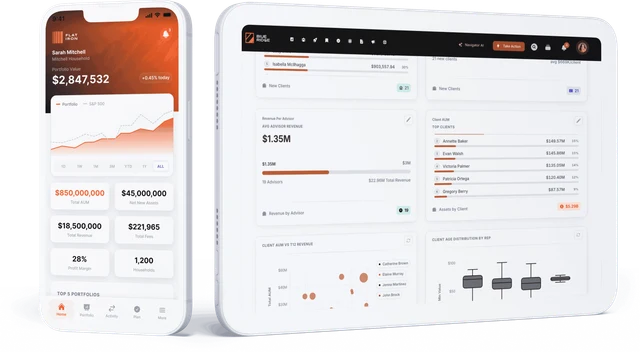
Milemarker on a phone and a tablet