New
- Page Builder HTML Variable Injection — user and tenant variables can now be injected directly into HTML content elements in the Page Builder, enabling personalized static content without custom code
Changelog
We continuously improve Milemarker with new features, enhancements, and fixes. This page highlights recent updates to the platform.
Form Field Masks — form fields now support input masks for formatted data entry including phone numbers, account numbers, and custom patterns
Metric Fallback Card — dashboards now display a fallback card when a metric is unavailable, eliminating blank spaces in page layouts
API Key Token Minting — the platform now supports generating API key tokens for programmatic and integration access
Metric Presentation Rules for MCP — metric display rules (formatting, thresholds, and display logic) now apply consistently when metrics are accessed via the MCP API
Advisor Drilldown Data — advisors can now correctly access their own drilldown data
Metric API Error Handling — the platform now returns a graceful error response instead of a 500 when a metric ID does not exist
Metric Page Context — fixed an issue where a metric could be enriched using context from a different page, causing incorrect data display
Milemarker Workflow Settings — fixed an initialization order issue that could prevent workflow settings from loading correctly
CMS Category & Tag Management — content managers can now organize CMS entries with categories and tags, plus embed video URLs via automatic oEmbed resolution
Data Table Checkbox Export — selecting rows via checkbox now exports full row data instead of partial records
Page Editor Split Dropdown — “View Page” and “View As” merged into a single split-button dropdown for streamlined page previewing
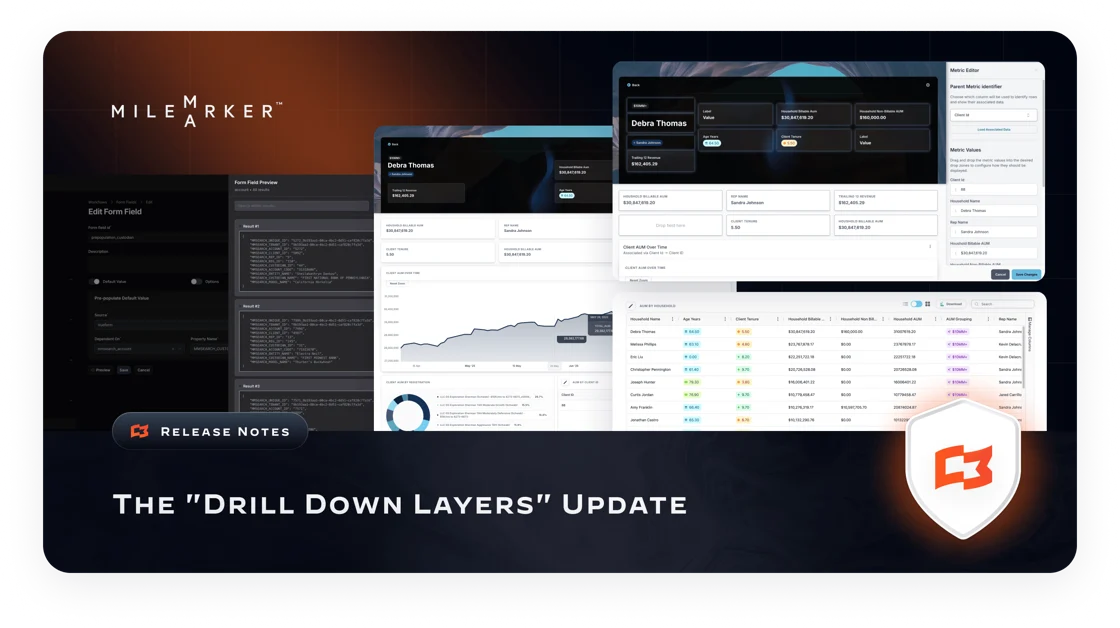
Milemarker Layers Drill-Down — click through metric associations to drill into nested Layers, enabling deeper data exploration
Milemarker Layers Clickable Rows — rows with associations now show a pointer cursor and respond to single-click for faster navigation
Milemarker Layers Responsive Header — improved layout for the Layers header section across all screen sizes
Snowflake Scaffold Fields — fixed the Scaffold button failing to populate fields in Snowflake configuration
Page Builder Enriched Column Pagination — resolved pagination error on datatables using Enriched Columns
Milemarker Workflow Request Details Format — corrected data format display on the Request Details tab
Pages Index Performance — the Pages Index API now uses pagination to prevent out-of-memory errors on large page sets
Branding Logo Assets — the branding endpoint now correctly exposes all logo assets at both organization and office levels
Milemarker Workflow User Filtering — form pre-population now correctly filters users by the form’s associated Firm ID
Milemarker Workflow Request Date Format — date created field on the Request Details tab is now timezone-aware
Page Overview White Bar — removed an errant white bar appearing on pages with overview metrics or subpages
Milemarker Layers Loading State — fixed missing loading indicator when navigating to a Layers page from global search
Admin View As — a new dropdown on pages lets admins impersonate any user directly from the page builder, without leaving the current view
Milemarker Workflow Delegation — Org Admins can now submit workflow forms on behalf of an advisor
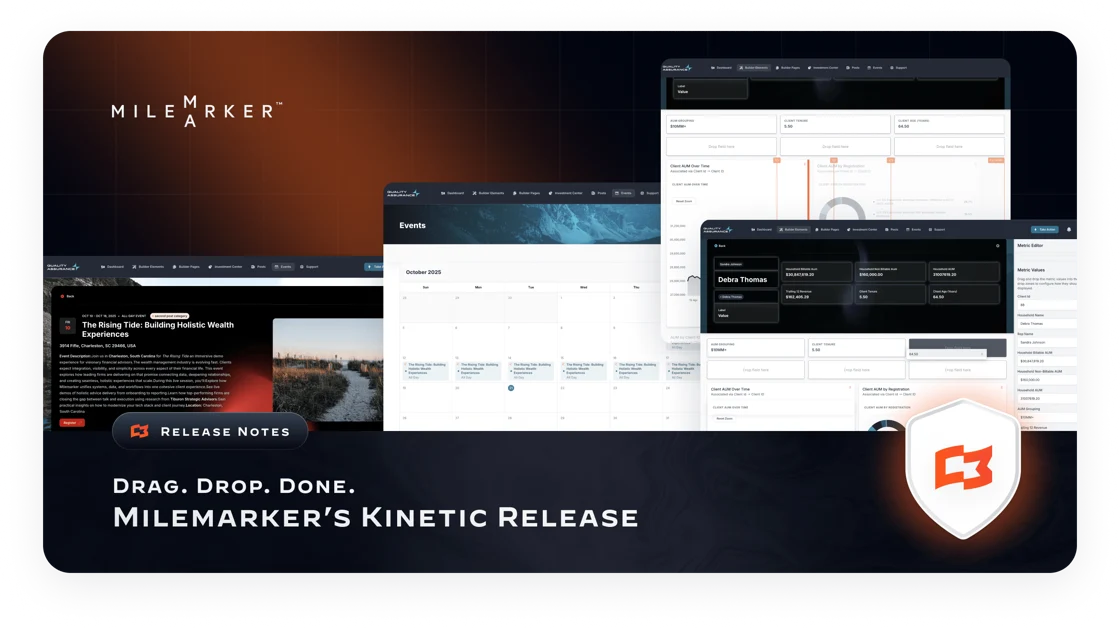
Public Page Layout Builder — grid and column size picker now available for drag-and-drop layout building on public pages
HTML Elements in Page Editor — HTML elements are now supported in the page layout editor
Release Version Display — the admin panel now shows deployed frontend and backend version numbers
Mobile Header Logo — favicon replaces the full logo on mobile and iPad for better navigation real estate
Investment Solutions Background — now uses the global branding background image instead of requiring a per-page upload
Login Screen Mobile Layout — login screen now renders correctly on mobile devices
Trade Center Button Color — Launch Trade Center button now correctly uses the firm’s secondary brand color
Investment Center Group Art — fixed background image sizing issue that was rendering at 70% instead of full size
Milemarker Workflow Request Details — info now shows correctly when a field label has been renamed
Milemarker Workflow Snowflake Prepopulation — fixed null value handling in Snowflake default value prepopulation
Milemarker Workflow DCR — Multiple Submission — DCR workflows now allow multiple submissions when the Global UUID column is blank
Milemarker Workflow Request Details — fixed incorrect data format displayed in the Details tab
User Impersonation — Staged Users — fixed error when attempting to impersonate users in “Staged” status
Datatable Element Refresh — fixed inconsistent metric refresh behavior on datatable page elements
Trade Instructions Sort — Trade Instructions table can now be sorted by Submission Date
Line & Area Charts — a new chart family supporting line and area visualizations, expanding the chart library beyond bar and column types
Global Search Role-Based Gate — global search results now follow each user’s role, so everyone sees results relevant to their access
Open Workflow Request From In-App Notification — Milemarker Workflow notifications (in-app and email) now open the corresponding workflow request drawer when clicked
Milemarker Data Grid Column Filter — “Select All” can now be unselected directly from the column filter for faster narrowing
Pagebuilder Datatable Settings → Scorecard Metric — pagebuilder datatable settings now flow through to scorecard metrics for consistent configuration
Snowflake Pre-population in DCR Forms — Milemarker Workflow forms now correctly pre-populate Snowflake-backed fields on dynamic case resolution forms
Scorecard Take Action Button — restored the missing Take Action button on Scorecards
Workflow Request Details Tab — duplicate form field information no longer displays on the request details tab
Default Datatable View — default views are now arranged automatically when a datatable loads, and the correct “is default” state is returned after saving
Filter State on Default View Restore — datatable filter state is now preserved when restoring a default view
Bulk Status Updates “Check All” — Workflow Request bulk status updates now correctly limit to the current page when “Check All” is used
Datatable Excel Export with Enriched Columns — submitted-records datatables now export to Excel with enriched columns intact
Portal Session Length — users now stay signed in for the full session instead of being signed out after 1–2 hours
Organization Abbreviated Name Error — resolved an error when creating an organization with an abbreviated name
User Setup Gate — the user-being-setup view no longer appears when a Snowflake user ID is already present on the user, removing an unnecessary block for advisors who are already provisioned
Scorecard Ranked Lists with Nulls — null values no longer sort to the top of Snowflake-backed ranked lists; nulls now sort last so the top of the list reflects real values
Workflow Comments for Admin Access — users with admin access level can now submit Milemarker Workflow request comments
DCR Metric-Prepopulated Option Labels — option labels now display correctly during dynamic case resolution form prepopulation
Milemarker Data Grid Menus & Hover States — datatable column menus and row hover treatments redesigned for clearer affordances and a calmer scan
Milemarker Data Grid Buttons & Borders — button colors, border radius, and the search field border updated for consistency with the rest of the platform
Bar Chart Corners — bar charts now render with an 8px border radius to match other surfaces
Welcome Gradient — the welcome surface gradient has been refreshed for a cleaner first impression
Admin Navigation Contrast — admin nav colors tuned for better readability
Tooltip Icon & Color — tooltip iconography and color treatment updated for legibility
General UI Polish — additional small visual updates across the platform
Pipeline Alerts — what was previously labeled “Notifications” has been renamed to “Pipeline Alerts” across the UI to better describe what’s being surfaced
Menu Management API — a new GET /api/v1/menus/spec discovery endpoint exposes the menu schema for programmatic management via the Milemarker MCP service
Menu Visibility API — submitting an empty body now returns 200 and explicitly clears all visibility associations, making the behavior predictable
Credential Deletion Confirmation — added a confirmation prompt before deleting credentials to prevent accidental removal
Chart Typography — charts now render in Inter to match the rest of the platform’s typography
Milemarker Workflow Forms Admin API — exposes form admin functionality programmatically for management via the Milemarker MCP service
Avatar Upload via API — PUT /users/{user} now accepts base64-encoded avatar uploads for programmatic profile updates
Login Audit Log — a new login_logs table records sign-in activity for access auditing
Metric Field Option Limits & Filter Conditions — metric fields now support option limits and dynamic filter conditions for finer control over what users can select
Access Groups Schema — flattened the access group association to a direct foreign key on users, simplifying queries and improving lookup performance
Field Items Refresh — selected options are now preserved when field items refresh, instead of being cleared
Access Group Read — access_group is now read as a single object instead of an array, resolving downstream rendering issues
Page Title Bar — resolved a layout issue with the page title bar
Public Page CAPTCHA — public Milemarker Workflow form submissions are now protected by reCAPTCHA v3 to prevent spam and automated abuse
Scorecard Lists — Scorecards now support a new List body type with three modes: Ranked (e.g. Top 5 clients by AUM), Featured (curated selections with values), and Custom (fully manual)
Springboard SSO — Springboard now supports SSO configuration via SAML, starting with Orion SSO for unified login across connected applications
Milemarker Workflow Message Trigger — adding a message from the request message tab now automatically triggers the connected Milemarker Relay projection, keeping downstream automations in sync with conversation activity
Public Page Visibility Tooltip — added a tooltip clarifying that a page’s visibility (public or private) cannot be changed after creation
Combination Charts — a new chart family supporting column/line combos (synced and unsynced y-axes), multi-bar/line, and area/column visualizations for richer multi-metric comparisons
Scorecard Tile View — datatable metrics can now render as configurable KPI scorecards at 1x1 and 2x2 grid sizes, with primary values, progress bars, percentage badges, and column-to-slot mapping
MCP Application API Routes — new API routes expose admin functionality (Pages, Menus, Metrics, Forms, Workflows, Reference Data) previously only accessible via the admin UI, enabling programmatic management via the Milemarker MCP service
Smarter Dropdown Pre-Population — Snowflake option fields now limit initial results and query dynamically as you type, improving speed and usability for large datasets
View Management — saving a table view now makes it active automatically, with new options to reset to the default layout or update an existing view with current settings
Column Widths Not Saving — fixed an issue where datatable column width adjustments were not being persisted
Salesforce Contact Metric Error — resolved an “Undefined array key” error thrown when adding the Salesforce Contact Data for Prepopulation metric to a page
Datatable Trailing Footer Totals — fixed trailing footer totals for application entitlements metrics showing unfiltered values instead of user-scoped totals
Admin Panel V2 — a new Vue.js-based admin panel view running alongside the existing admin interface, featuring a modern Data Explorer for browsing schemas and tables
Search & Command Palette — global Cmd+K / Ctrl+K command palette for quick navigation across admin pages, Data Explorer schemas and tables, and common actions with fuzzy search and keyboard navigation
Access Groups (Phase 1) — dynamic user groupings with full CRUD API, Snowflake sync every 30 minutes, and a dedicated UI for managing groups and members
Data Source Explorer API — browse and tag data sources with a new tagging system for better organization
Resolved an issue where column sorting was not working correctly in datatables
Fixed an issue where saving changes to pages caused a black screen instead of a save confirmation
Public Pages — pages can now be created as publicly accessible (no login required), supporting Milemarker Workflow Forms and inline HTML elements with a branded top menu
API Key Authentication — external systems can now authenticate via scoped API keys (tied to user roles) without requiring session tokens, enabling integrations including MCP
Auto-create Customer on Tenant Launch — automatically provisions a customer record in the infrastructure universe when a new tenant is created
Snowflake Scaffold on Tenant Integration — adds a button to trigger Snowflake scaffold setup during tenant integration creation, saving configuration details automatically
Autopopulate Abbreviated Name — tenant abbreviated name now auto-generates from the tenant name (first letters, uppercased, with digits), handling special characters and filler words
CI/CD Test Suite Optimization — backend test suite runtime significantly reduced by refactoring tenant test setup and enabling parallel execution
Workflow Form user dropdown now correctly displays full names during prepopulation
Date fields now properly render prepopulated values in Snowflake query responses
Workflow update trigger actions (e.g. status change notifications) now correctly fire events to Milemarker Relay
Resolved an error when prepopulating forms containing a Steps element, and fixed numeric value formatting in workflow projections
Workflow Request Bulk Updates — bulk status updates for workflow requests now apply consistently and reliably
Dynamic Case Resolution — workflow forms now dynamically prepopulate fields based on case resolution context, reducing manual data entry
Global Search — a new platform-wide search capability that allows users to quickly find data, pages, and resources across the entire Milemarker application
Layers View Tab Management — users can now organize and manage tabs within the Layers view, including storing tab rules in metric presentation rules for a more customizable data exploration experience
Bar & Column Charts — added zoom functionality for bar and column chart visualizations, allowing users to drill into data ranges
Datatable minimum column width is now based on the column label, ensuring all headers are readable without manual resizing
Support Access is now enabled by default for non-Client roles, streamlining the onboarding experience for internal team members
US Map Visualization — a new geographic map chart type displaying data by US state, providing at-a-glance regional insights
Multi-Cell Export — select and export data from multiple cells in datatables for streamlined data extraction
Drilldown Charts — all available chart types are now accessible within the drilldown view for deeper data exploration
Workflow Request Bulk Updates — update the status of multiple workflow requests at once, saving time on batch operations
Pie Chart Sorting — pie charts now default to sorting by the correct column for more intuitive visualizations
Error Messaging — clearer, more informative error messages throughout the platform to help users quickly understand and resolve issues
Funnel Charts — funnel chart visualizations are now available as a chart type option
Datatable Saved Views — users can now create, save, and manage personalized datatable views with custom filters, grouped rows, visible columns, and records per page. Save frequently used data configurations (e.g., filtering by household or account type) and switch between them via a dropdown menu. Views are scoped to the individual user’s account, with a default view showing all permissioned data.
Experience Builder — a new layout editor that allows organization admins to rearrange, resize, and configure page components directly within the application
Navigator AI customization — admins can now update the Navigator AI subtitle and placeholder prompt text

We use cookies to enhance your experience, analyze site traffic and deliver personalized content.
Read our Cookie Policy