How an RIA Should Prepare Its Data Before Adopting AI Tools
A step-by-step checklist for RIAs getting data ready for AI, from system inventory and canonical household IDs to permissions, PII, governance and vendor training terms.

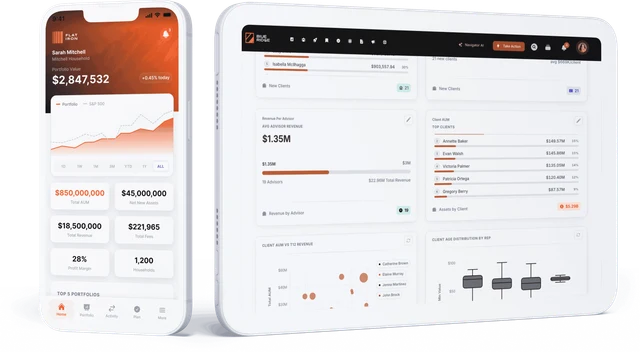
An RIA should prepare its data for AI by doing seven things in order: inventory every system that holds client data, agree one canonical ID for each household, client and account, name an owner for each data set, decide who may see what and how personal data is masked, put governance and logging in place, read every AI vendor’s terms on data use and training, and then pilot on a narrow use case. Skipping the ID and permission steps is what makes AI give confident wrong answers or show an advisor another advisor’s clients. Milemarker helps with the middle of this list: it connects custodians, CRM, portfolio accounting and planning into one normalized data layer in the firm’s own Snowflake database, applies row-level access by advisor, office and role with PII masking, and exposes that governed data to Navigator AI and to Claude, ChatGPT and other assistants through its MCP server.
This guide is the working checklist. For the reasoning behind it, and what goes wrong without it, read AI-ready data for wealth management.
Step 1: What systems hold our client data?
Start with a plain list. For each system, record what it holds, who administers it, how data gets out (API, file, export, none) and how fresh it is.
- Custodians: Schwab, Fidelity Institutional, Pershing, Altruist, Interactive Brokers and others.
- CRM: Salesforce or Financial Services Cloud, Redtail, Wealthbox, Practifi.
- Portfolio accounting and reporting: Orion, Tamarac, Black Diamond, Addepar.
- Planning: eMoney, MoneyGuidePro, RightCapital.
- Everything else: billing, document storage, email and calendar, meeting notetakers, spreadsheets that someone updates by hand.
Include the spreadsheets. They often hold the most important context (fee schedules, household groupings, service tiers) and are the first thing an AI tool will be missing.
Done when: every source of client data is on the list with an owner and an extraction method.
Step 2: Do we have one ID for each household, client and account?
AI tools join data across systems. If the same family is “Smith Household” in the CRM, three separate accounts at the custodian and “John & Mary Smith” in planning, the AI either misses the connection or invents one.
- Choose the master system for each object (often the CRM for households, the custodian for accounts).
- Build a crosswalk table that maps each system’s ID to the canonical ID.
- Match accounts on account number, people on tax ID where policy allows, and send uncertain matches to a human review queue.
- Decide how to treat held-away and aggregated accounts so they do not inflate AUM.
Done when: you can pick any household and list all its accounts, contacts and plans across every system from one table.
Step 3: Who owns each data set?
Assign a named owner for each core data set: households and contacts, accounts and positions, fees and billing, plans. The owner decides which system wins when two disagree, approves changes to definitions, and works the exception queue.
Also write down definitions that sound obvious but are not: what counts as AUM, what counts as an active client, how revenue is attributed when an account has two advisors. An AI answer is only as consistent as these definitions.
Done when: each data set has an owner and a short written definition sheet.
Step 4: Who may see what, and how is PII protected?
This is the step that most often blocks AI rollouts, and rightly so.
- Permissions follow the person. An advisor should only see their own book through AI, the same as in the CRM. Map advisors, teams, offices and roles to the data they may access.
- Enforce below the AI. Rules written into a prompt can be talked around. Access should be enforced in the data layer or the source system, so the AI simply cannot retrieve rows the user is not entitled to.
- Mask what is not needed. Most questions do not require full tax IDs, account numbers or dates of birth. Mask or tokenize them by default.
- Use single sign-on. Tie AI access to your identity provider (for example Microsoft Entra ID or Okta) so leavers lose access everywhere at once.
Done when: you can show, for a sample advisor, exactly which households an AI tool would let them see.
Step 5: What governance and logging do we need?
- Log every AI query and result in a form compliance can review, including who asked and what data was touched.
- Keep communications archiving in scope. If AI drafts client emails or notes, those outputs fall under your existing recordkeeping obligations. Confirm how they reach your archiving system (Smarsh, Global Relay or similar).
- Write an AI acceptable-use policy that says which tools are approved, what data may be used with them, and what requires human review before it reaches a client.
- Review on a schedule. Add AI tools to your annual vendor due diligence and compliance testing.
Done when: compliance can pull a log of AI activity for any user and date range.
Step 6: What do our AI vendors do with our data?
Read the terms before anyone connects client data.
- Training. Confirm in the contract that your data is not used to train the vendor’s models. Business and enterprise tiers from major model providers, such as OpenAI’s business offerings and Anthropic’s commercial terms, state that customer data is not used for training by default. Consumer plans can differ, so check which plan your advisors are actually on.
- Retention. How long are prompts, files and outputs stored, and can you shorten that?
- Location and sub-processors. Where is data processed and stored, and who else touches it?
- Certifications. Ask for a SOC 2 Type II report and review it.
- Connectors. Each connector or plugin (CRM, custodian, notetaker) is its own vendor relationship with its own terms. Review them individually.
Done when: every AI tool and connector in use has signed terms on training, retention and location on file.
Step 7: Where should we pilot first?
Pick one narrow, high-value use case with clean data behind it, such as meeting preparation for a single team, or answering internal questions about AUM and revenue. Measure accuracy against answers you already know, fix the data gaps the pilot exposes, then widen access.
What tools help with each step?
| Step | Tool categories | Examples |
|---|---|---|
| Inventory and connect | Wealth data platforms, ETL tools | Milemarker, Fivetran |
| Store and model | Cloud data warehouses | Snowflake, Databricks |
| Canonical IDs | Data platform entity resolution, CRM householding | Milemarker, Salesforce Financial Services Cloud |
| Permissions and SSO | Identity providers, warehouse access policies | Microsoft Entra ID, Okta, Snowflake row access policies |
| PII and DLP | Masking and data loss prevention | Snowflake masking policies, Microsoft Purview |
| Archiving | Communications archiving | Smarsh, Global Relay |
| AI access | Assistants and MCP connectors | Claude, ChatGPT, Microsoft Copilot, Milemarker MCP |
Where does Milemarker fit?
Milemarker covers steps 1, 2 and 4 for the systems it connects: 140+ wealth management integrations, normalization into one data layer in the firm’s own dedicated Snowflake database, row-level access by advisor, office and role, PII masking and SSO. It is SOC 2 Type II and GDPR compliant, and firm data is never sold or used to train AI. Navigator answers natural-language questions over that data, and the MCP server lets Claude, ChatGPT, Gemini, Copilot or any MCP client use it with the firm’s permissions enforced. Typical implementations take 2 to 12 weeks. See Milemarker enterprise security for the controls in detail.
Frequently asked questions
Do we need a data warehouse before using AI?
Not for every use case. A single-system tool, such as AI inside your CRM, can work on that system’s data alone. Questions that span custody, CRM and planning need the data combined somewhere governed, which in practice means a warehouse or data platform.
What is the biggest data problem for RIAs adopting AI?
Inconsistent identity. When the same household has different names and IDs in each system, AI tools miss relationships or merge the wrong records. A canonical ID crosswalk fixes most of it.
Can we stop the AI from showing advisors other advisors’ clients?
Yes, if access is enforced in the data layer or source system rather than in the prompt. The AI then only receives rows the signed-in user is allowed to see.
Are AI vendors allowed to train on our client data?
It depends on the plan and contract. Most business and enterprise tiers from major model providers exclude customer data from training by default, but you should confirm it in writing for every tool and connector.
How long does it take to get data ready?
It depends on the number of systems and the state of household data. Firms that use a wealth data platform avoid building connectors and models from scratch; Milemarker implementations typically run 2 to 12 weeks.