
Jump
- Meeting prep, notes, follow-up and CRM updates
- Transcripts, scorecards and signals
- Advisor-focused AI meeting assistant
- Read-only data export via firm-generated API key
- Native Milemarker integration via read-only API
Jump and Zocks are both purpose-built for financial advisors. This guide compares them fairly, then answers the question neither of them solves: what does your firm do with the notes after the meeting ends?
Notetakers capture the meeting. Milemarker runs the business.
See How Milemarker ConnectsTHE COMPARISON
WHAT NEITHER SOLVES
Notes captured. Business not changed.
The notetaker did its job: clean notes, action items, maybe a CRM entry. But those notes still live inside a separate platform, under that platform's retention rules and export terms. They don't join your custodial data, they don't trigger your workflows and they're not in your data layer.
Every notetaker you add is another silo unless something brings it together.
The value isn't the transcript. It's what your firm can do with it next.
NOTES IN A NOTETAKER
NOTES IN MILEMARKER
Meeting notes = Searchable inside one platform
Action items = Listed, not tracked
Client data = Separate from your CRM and portfolio data
Compliance = Covered by that vendor's retention rules
WHAT YOU CAN BUILD
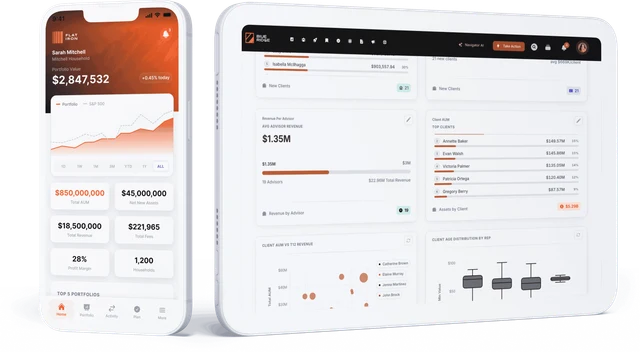
Track meeting cadence, action item completion and service standards across your advisor team — from the same data layer as AUM and revenue.
Action items from meeting notes trigger Milemarker Relay steps — emails, case tasks, form pre-fills — so nothing falls through after the call ends.
Pull meeting history, portfolio changes and open action items into a single prep view before the next call — drawing on notes from Jump or Zocks alongside everything else.
Details about Jump and Zocks reflect publicly available information as of the date this page was last updated. If anything is out of date or needs a correction, we're happy to fix it — reach out at connect@milemarker.co
Milemarker connects to 140+ wealth management platforms including custodians (Schwab, Fidelity, Pershing, TD Ameritrade), CRMs (Salesforce, Redtail, Wealthbox), portfolio systems (Orion, Black Diamond, Tamarac), financial planning tools, and compliance platforms.
No. Milemarker’s connectors are pre-built and managed. Firms connect their existing platforms through a configuration process, not a development project. Milemarker’s implementation team handles the technical setup.
No. Milemarker connects to and normalizes data from your existing platforms. You keep the systems your advisors and operations teams already use — Milemarker adds the data layer that makes them work together.
Milemarker normalizes account data, holdings, performance, transactions, client profiles, planning data, and operational metrics from connected platforms into a structured, consistent data model.
Milemarker’s engineering team monitors and updates connectors when upstream platforms make API changes. Firms do not need to maintain or rebuild integrations themselves.
GET STARTED
See the Jump integration and how it works.
See the Zocks integration and how it works.
Ask about connecting any notetaker to your data layer.

We use cookies to enhance your experience, analyze site traffic and deliver personalized content.
Read our Cookie Policy