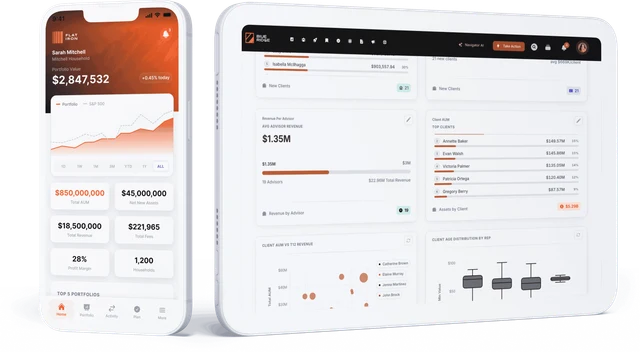
Wealth Management Software: The Best Tools by Category (2026)
A buyer's guide to wealth management software in 2026: the nine categories advisory firms run, the leading tools in each, how they connect, and how to choose.
Wealth management software is the set of systems an advisory firm uses to run client relationships, manage portfolios, plan, trade, report, stay compliant and onboard new accounts. No single product does all of it well, so most RIAs, broker-dealers and family offices run several specialist tools side by side.
The best wealth management software for a firm is the combination that covers its work without leaving data stranded between systems. This guide walks through the nine categories, the leading tools in each, and how to choose a stack that holds together as the firm grows.
What is wealth management software?
Wealth management software is any application built for the work of managing client wealth: recording relationships, holding and reporting on investments, building financial plans, placing trades, documenting compliance and serving clients online. It is different from consumer budgeting apps and from back-office banking systems, although some firms use those too.
Firms usually describe their software in two ways:
- By category, such as “our CRM” or “our portfolio accounting system.” Each category has its own specialist vendors.
- As a stack, meaning every system together plus the connections between them. The stack is what advisors actually feel day to day.
Our RIA tech stack guide covers the stack view in depth. This guide focuses on the categories and the tools in each.
The 9 categories of wealth management software
1. CRM
The CRM is the record of households, contacts, meetings, tasks and service requests. It is where advisors and service teams spend most of their day.
Common tools: Salesforce Financial Services Cloud, Wealthbox, Redtail, Practifi.
What to look for: household modeling, task and workflow automation, email and calendar sync, and an open API so custodian and portfolio data can appear on the client record. See CRM integration for wealth management.
2. Portfolio management and accounting
Portfolio accounting systems pull positions and transactions from custodians, calculate performance, produce client reports and run fee billing. They are the most data-heavy system most firms own.
Common tools: Orion, Tamarac, Black Diamond, Addepar.
What to look for: multi-custodian aggregation, performance methodology, billing depth, and raw data access. Our guide to the best portfolio accounting software compares the options.
3. Financial planning
Planning software models cash flow, retirement, goals, taxes and insurance needs, and increasingly serves as the client’s view of their whole financial life.
Common tools: eMoney, MoneyGuidePro, NaviPlan.
What to look for: planning depth versus speed, client collaboration features, account aggregation and how plan data flows back to the CRM. See the best financial planning software for advisors.
4. Trading and rebalancing
Rebalancing tools keep accounts aligned to models, handle tax-aware trades, and send orders to custodians in bulk.
Common tools: rebalancing modules from portfolio platforms such as Orion and Tamarac, plus custodian trading tools.
What to look for: model and sleeve support, tax-lot logic, drift alerts, and a clean approval trail. Our guide to custodian-connected rebalancing covers how trading connects to custodians.
5. Client portal and reporting
The client portal is what clients log into: performance, holdings, documents, goals and messages. Many firms also want an advisor portal on the same brand.
Common tools: portals included with portfolio and planning systems, portal frameworks such as Salesforce Experience Cloud, and builders on top of a firm’s own data.
What to look for: full branding, role-based access, and whether the portal can show data from more than one system. See branded advisor and client portal software.
6. Compliance and archiving
Compliance software archives communications, monitors trading and personal accounts, tracks attestations and supports exams.
Common tools: Smarsh, Global Relay, ComplySci, RIA in a Box.
What to look for: coverage of every channel advisors use, surveillance rules you can tune, and audit-ready exports. Our guide to RIA compliance automation goes further.
7. Onboarding and account opening
Onboarding tools collect client data once, prefill custodian paperwork, route e-signatures and track new accounts until they are funded.
Common tools: Docupace, custodian onboarding portals, and e-signature tools such as DocuSign.
What to look for: prefill from the CRM, support for every custodian you use, NIGO prevention and status tracking. See digital onboarding for wealth management.
8. Estate and tax planning
Specialist tools turn estate documents and tax returns into plain-language summaries and planning opportunities.
Common tools: Vanilla, FP Alpha, Holistiplan.
What to look for: document parsing quality, client-ready visuals, and how findings reach the advisor’s workflow. Compare options in our estate planning software guide.
9. Data, analytics and automation
This is the layer that connects everything else. A data platform pulls custodian, portfolio, CRM, planning and billing data into one model the firm owns, then powers dashboards, workflows and AI on top of it.
Common tools: Milemarker, general data warehouses such as Snowflake with custom pipelines, and BI tools such as Tableau or Power BI.
What to look for: pre-built connectors for wealth systems, a household and account model that matches how your firm works, entitlements so each person sees only their book, and data you can take with you. See what a wealth management data platform does.
Wealth management software at a glance
| Category | What it does | Common tools | Data it holds |
|---|---|---|---|
| CRM | Relationships, tasks, service | Salesforce FSC, Wealthbox, Redtail, Practifi | Households, contacts, activity |
| Portfolio accounting | Performance, reporting, billing | Orion, Tamarac, Black Diamond, Addepar | Positions, transactions, returns, fees |
| Financial planning | Plans, goals, cash flow | eMoney, MoneyGuidePro, NaviPlan | Goals, assumptions, held-away assets |
| Trading and rebalancing | Model alignment, bulk trades | Portfolio platform modules, custodian tools | Models, orders, drift |
| Client portal | Client and advisor experience | Built-in portals, frameworks, builders | Whatever it is connected to |
| Compliance | Archiving, surveillance, exams | Smarsh, Global Relay, ComplySci, RIA in a Box | Communications, attestations, alerts |
| Onboarding | Paperwork, e-sign, account opening | Docupace, custodian portals, DocuSign | Client profiles, forms, status |
| Estate and tax | Document analysis, opportunities | Vanilla, FP Alpha, Holistiplan | Estate documents, tax returns |
| Data and automation | Connects and acts on everything | Milemarker, warehouse + pipelines, BI tools | A unified copy of all of the above |
All-in-one suite or best-of-breed?
Firms choose between two approaches, and most end up somewhere in the middle.
An all-in-one suite covers CRM, portfolio accounting, planning and portal from one vendor. It is simpler to buy and support, and the parts are designed to work together. The trade-off is that each part may be weaker than the category leader, and leaving later means replacing everything at once.
Best-of-breed means choosing the strongest tool in each category. Advisors get better tools, and the firm can swap one system without touching the rest. The trade-off is integration: data has to move between systems, and someone has to own that.
A data layer changes the trade-off. When custodian, portfolio, CRM and planning data all land in one model the firm owns, best-of-breed tools behave more like a suite, and switching any one of them stops being a migration project. Our guide to open architecture advisor platforms covers this in more detail.
How to choose wealth management software
- Map your work, not the market. List the jobs advisors, operations and leadership do each week, and where each job starts and ends.
- Start with your systems of record. Custodians, the CRM and portfolio accounting hold most of the data everything else depends on. Choose these with the longest view.
- Check data access before features. Ask every vendor whether you get raw, normalized data through an API or only their reports, and how often it refreshes.
- Count the hand-offs. Every time a person retypes data between two systems is a cost and an error risk. Prefer tools that connect, or plan a data layer that connects them.
- Test with your own data. Demos use clean sample accounts. Ask for a pilot with a slice of your real households, custodians and edge cases.
- Plan for growth and change. New custodians, new offices, acquisitions and new advisors should not require rebuilding the stack.
- Ask who owns the data. Confirm you can export your complete history in a usable format if you leave. See data ownership in wealth management.
How is wealth management software priced?
Pricing models vary by category. CRMs are usually priced per user. Portfolio accounting is often priced per account or as basis points on assets. Planning software is typically per advisor. Compliance and archiving tools often price per user or per channel. Data platforms are usually priced by firm size and scope. Ask every vendor about implementation fees, data-feed fees and what happens to pricing as you add accounts.
Why does wealth management software still feel disconnected?
Because each system is built to be excellent at its own job, not to share. The same household can have a different name, a different account list and a different value in the CRM, the portfolio system and the planning tool. Advisors end up opening five tabs to prepare for one meeting, and leadership waits on spreadsheets to answer simple questions.
The fix is not another all-in-one replacement. It is a single, firm-owned model of households, accounts and advisors that every system maps into. Milemarker’s Data Engine connects the systems firms already run and normalizes their data into that model. Firms then build advisor workstations, integrated workflows and AI on top of it, without replacing the tools advisors already know.
Frequently asked questions
What is the best wealth management software?
There is no single best product. The best wealth management software is the set of tools that fits your firm’s clients, custodians and workflows, connected so data is entered once and trusted everywhere. Most firms pick a strong CRM, portfolio accounting system and planning tool, then connect them.
What software do financial advisors use?
Most advisors use a CRM, a portfolio accounting and reporting system, financial planning software, custodian platforms, a compliance archive and an e-signature or onboarding tool. Larger firms add a data platform, BI dashboards and workflow automation on top.
Is there one platform that does everything?
Some vendors offer suites that cover CRM, portfolio accounting, planning and a client portal. They reduce the number of vendors but usually trade depth in some categories, and they make switching harder later. Many firms prefer best-of-breed tools connected through a data layer.
What is the difference between wealth management software and portfolio management software?
Portfolio management software is one category of wealth management software. It handles holdings, performance, rebalancing and reporting. Wealth management software is broader and includes CRM, planning, compliance, onboarding and data tools.
How do I connect my wealth management software?
Through vendor integrations, custom APIs or a data platform. Point-to-point integrations work for a few systems but multiply as the stack grows. A data platform such as Milemarker connects custodians, portfolio systems, CRMs and planning tools into one model, then pushes data back to the tools that need it.
What wealth management software do broker-dealers use?
Broker-dealers run many of the same categories, plus supervision, commissions and compensation, and an advisor workstation across many offices. See Milemarker for broker-dealers and our guide to advisor desktop software.