
The "Build Your Own Adventure" Update
We shipped some big improvements this week. Here's what changed and why it matters to you.
The Big Stuff
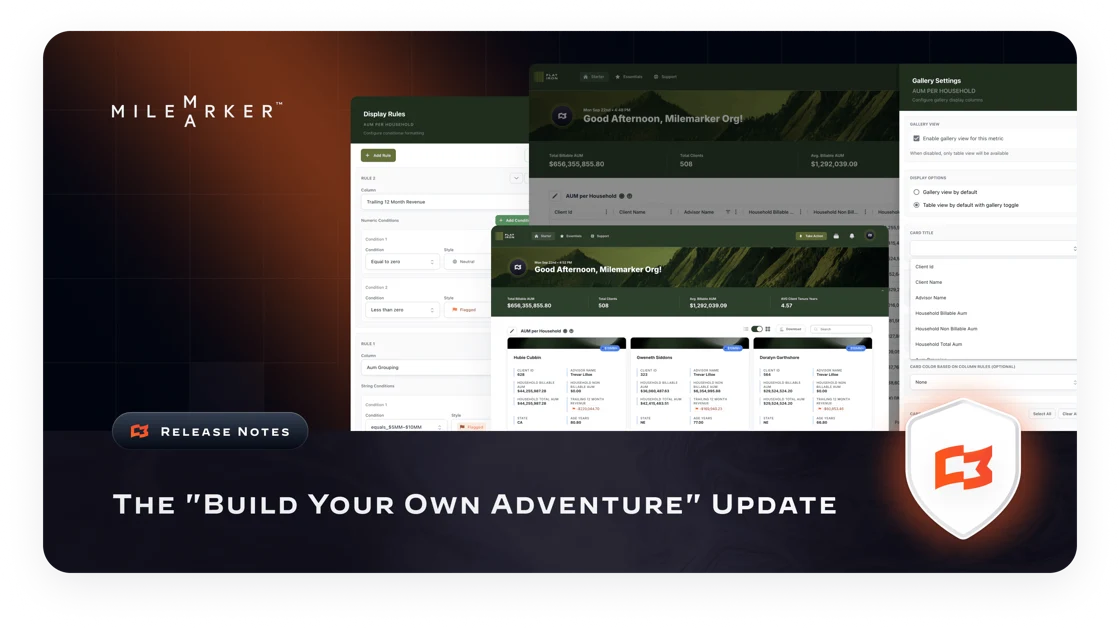
Gallery View for Metrics: Your metrics don't have to live in boring tables anymore. Switch to gallery view and see your data as visual cards with custom images, badges, and colors. Perfect for executive dashboards and client presentations.
Smarter Workflow Sizing: No more guessing at container widths. Pick small, medium, or large. We handle the pixels. Works great on mobile too.
Landing Pages You Control. This unlocks all sorts of possibilities for your firm to build and deploy pages on your own. Upload custom logos, pick your fonts, add hero images, create feature lists with custom icons. Make that first impression count.
Better Search: Search fields are now dropdowns. Find what you need faster, make fewer mistakes.
The Details That Matter
Data Tables Got Smarter
Client investment data now loads in Milemarker's improved grids
Better performance, cleaner look
Organizations Streamlined
Removed confusing admin links
Added direct portals for users and admins
Less clicking, more doing
Metric Presentation Rules
Renamed from "Display Rules" for clarity
Now supports conditional formatting, gallery view, and traditional display rules
More flexible rule definitions for future features
File Imports Fixed
Adhesion connector now supports both .txt and .csv files
No more "wrong file type" errors
Team Import Enhanced
Better handling of bulk user imports
Improved error reporting and validation
Chart Improvements
Bar-line combination charts handle new data formats
Better metric processing for complex visualizations
Behind the Scenes
Faster tenant switching with consolidated environment variables
Better error handling for SFTP file transfers
Diagnostic tools for connection troubleshooting
More reliable connections to your data sources
Automatic cache sync for customer data
Test stage improvements across all services
What This Means for You
If you're an admin: Your workflows look better and your clients see polished, professional dashboards.
If you're an end user: Everything loads faster, works on your phone, and looks like it was built this decade.
If you're technical: We consolidated environment variables, improved caching, and made the whole system more reliable.
Bug Fixes
We fixed the workflow seeder display size issue that was causing layout problems. Your workflows should look consistent now.
Questions? Our support team is standing by. We actually read our emails.